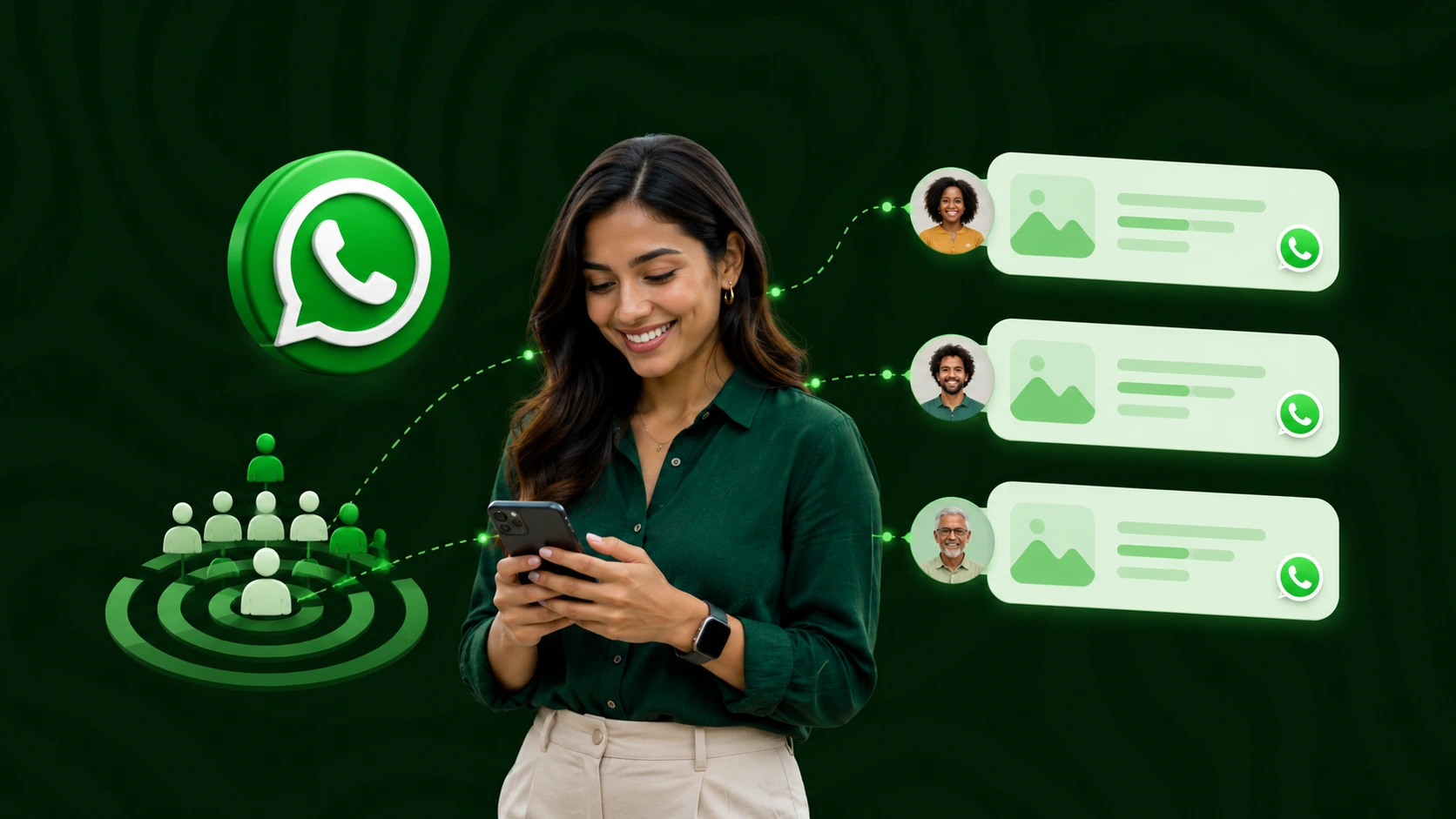
 WhatsApp
How You Can Send Bulk WhatsApp Messages for Your Business (Guide)
Beatha Beichumila
Last Updated :
19th June 2026

By Beatha Beichumila
Product Specialist
Share this article with your friends
WhatsApp bulk messaging in Tanzania works best when businesses use the official WhatsApp Business API through a Meta-approved Business Solution Provider, collect explicit opt-in consent in line with the Personal Data Protection Act 2022, send pre-approved message templates in the correct category (Marketing, Utility, or Authentication), segment audiences, personalise content, and respect message frequency limits. Following these practices protects sender quality, avoids account bans, and improves campaign conversions.
In Tanzania, WhatsApp is no longer just a chat app. It is the channel where customers actually open messages, ask questions, place orders, and make buying decisions. Yet most businesses still treat it like a personal phonebook — adding contacts manually, sending broadcasts from a regular WhatsApp account, and getting banned within weeks. This guide is for the marketing manager, founder, or sales lead who wants to do WhatsApp bulk messaging the right way: at scale, on the official platform, in line with Tanzania's data protection law and Meta's WhatsApp Business Messaging Policy, and with conversion rates that justify every shilling spent.
We will cover what bulk WhatsApp messaging actually means, the legal and platform rules you must respect, how to design templates that get approved on the first submission, how to grow and segment your contact list, the cadence that keeps your sender quality rating green, and the specific tactics Tanzanian businesses use on the Notify Africa WhatsApp marketing platform to turn one-time buyers into repeat customers.
WhatsApp bulk messaging is the practice of sending the same message — or a personalised variant of it — to many opted-in contacts at once through the official WhatsApp Business API. It is not the same as forwarding a broadcast list on the consumer WhatsApp app or the free WhatsApp Business app. Those tools cap broadcast lists at around 256 contacts, require recipients to have saved your number, and offer no segmentation, analytics, automation, or compliance guarantees.
The Business API, on the other hand, is the enterprise channel Meta provides for verified businesses. It supports message templates approved by Meta, two-way conversations, AI chatbots, rich media, interactive buttons, delivery analytics, and unrestricted list sizes — provided every recipient has opted in. Access to the API is granted through a Meta-approved WhatsApp Business Solution Provider (BSP), which is the role Notify Africa plays for businesses in Tanzania.
Tanzanian businesses commonly confuse the three. The consumer app is for personal chats. The WhatsApp Business app is for very small businesses with light volumes and no need for automation. The Business API is what powers real bulk messaging, AI chatbots, automated journeys, CRM integrations, multi-agent inboxes, and verified green-tick business profiles. If your business sends more than a few hundred messages a week, expects a reply from customers, or needs delivery reports, the API is the only sustainable option.
Tanzania is mobile-first by every measure. According to DataReportal's Digital 2025: Tanzania report, the country had 79 million active cellular mobile connections in early 2025 — equivalent to 114 percent of the population — with more than 85 percent of those connections broadband-enabled. Smartphones, not desktops, are how customers research products, compare prices, and complete purchases. WhatsApp sits at the centre of that behaviour.
Globally, WhatsApp passed three billion monthly active users in April 2025, with estimates around 3.3 billion by early 2026, and roughly 70 percent of monthly users open the app on any given day. In East Africa specifically, WhatsApp is often the default channel for everything from customer service to informal commerce.
For Tanzanian businesses, that translates into open rates and response rates that email and standard marketing channels cannot match, which is why pairing WhatsApp with bulk SMS in Tanzania gives the strongest combined coverage across smartphone and feature-phone audiences.
Before any tactical advice, every Tanzanian business sending bulk WhatsApp messages must understand three layers of rules that apply at the same time.
The Personal Data Protection Act, 2022 (PDPA) is the principal data protection law in Tanzania. It came into force on 1 May 2023 and regulates the collection, processing, and protection of personal data by both public and private entities, requiring that personal data be processed lawfully, fairly, transparently, securely, and only for explicit, specific, legitimate purposes.
Phone numbers used for WhatsApp campaigns count as personal data. Enforcement sits with the Personal Data Protection Commission (PDPC), which was officially launched on 3 April 2024 to enforce the Act.
In practice this means you must collect numbers for a clearly stated purpose, store consent records, give recipients a simple way to withdraw consent, and avoid transferring data outside Tanzania except as permitted by the Act. A WhatsApp campaign that sends marketing to a list scraped from a public group is not compliant — regardless of whether anyone complains.
The Tanzania Communications Regulatory Authority (TCRA) regulates electronic communications in Tanzania, including SMS, voice, and messaging services delivered over mobile networks under the Electronic and Postal Communications Act (EPOCA).
While WhatsApp messages travel over data rather than the mobile signalling network, businesses operating in Tanzania still fall under TCRA's general consumer protection expectations, and any combined SMS-plus-WhatsApp strategy must respect TCRA registration and sender ID rules on the SMS side.
The platform layer is Meta's WhatsApp Business Messaging Policy. Meta requires businesses to clearly state that a person is opting in to receive communication, identify the business by name, and monitor account quality rating.
Following the November 2024 update, a general opt-in can cover WhatsApp messaging — as long as the consent meets local legal standards, the business name is clearly stated, the user is told they will receive messages from the business, and a valid mobile phone number is collected. Crucially, displaying a WhatsApp number alone does not count as opt-in — users must either initiate contact or give informed, explicit consent. Meta + 2
The intersection of these three layers is the safe operating zone. Stay inside it and your account stays healthy, your campaigns convert, and your business is protected.
Opt-in is the single most important compliance step, and the one most often skipped. A clean list of 5,000 opted-in contacts will outperform a scraped list of 50,000 every time — in delivery, open rates, conversions, and account longevity.
The simplest opt-in methods Tanzanian businesses are using on the Notify Africa platform include a checkbox at website checkout, a tick box on a lead form, a "click to WhatsApp" ad on Meta, a QR code at a physical store entrance, a USSD prompt for offline customers, and a confirmation reply to a one-time SMS. Each method must clearly state three things: the business name, that the person will receive WhatsApp messages, and the categories of messages they should expect (for example, order updates, promotions, or account alerts).
Every opt-in record should capture the source, timestamp, exact wording shown to the user, and the categories of messages consented to. If a regulator, customer, or Meta ever asks for proof, you need to produce it on demand. Use a CRM or the contact management features inside your messaging platform — never spreadsheets sitting on someone's laptop.
Every marketing message must offer a simple way to stop. The standard approach is a "Reply STOP" line at the end of the message body, or an interactive button. Once a user opts out, mark the number as suppressed across all your lists and stop sending immediately. Repeated messages to opted-out users are the fastest way to get reported, demoted in quality rating, and eventually blocked by Meta.
Outside the 24-hour customer service window, the only messages you can send on the API are pre-approved templates. Meta categorises templates as Marketing (promotional offers, product announcements), Utility (account updates, order updates, alerts), or Authentication (verification codes for account access), and the category drives both pricing and approval rules.
The single most expensive template mistake is dressing up a marketing message as a utility template to save money. Meta now actively scans template content for promotional intent, and even subtle language like "exclusive offer" or "limited time" can trigger automatic reclassification — with the cost difference billed back to the sender. The fix is simple: if the message has any promotional purpose, submit it as Marketing. If it is genuinely triggered by a user action (order placed, payment received, appointment booked), it is Utility. Authentication is reserved for OTP and login codes only.
Keep template body text concise, free of typos, and free of vague placeholders like "{{1}} promo {{2}}". Use named, descriptive variables. Avoid all-caps shouting, multiple consecutive emojis, and links to URLs that do not match your business domain. Include a header (text, image, video, or document), a body, and one or more interactive buttons — quick reply for short answers, URL for site visits, or call-to-action for phone numbers. A clean, well-structured template typically gets approved in minutes; a messy one bounces back for revision and slows your launch.
Tanzanian customers respond to messages in Swahili, English, or a mix of the two. Approve parallel templates in both languages and route them based on the contact's preferred language captured at opt-in. A Swahili message to a Swahili-first customer almost always outperforms the same offer delivered only in English. If you sell into both urban Dar es Salaam and rural regions, language routing is the lowest-effort optimisation with the highest payoff.
Run Your First WhatsApp Campaign in Tanzania
Get pre-approved templates, AI chatbot setup, and Swahili-English support in one onboarding session.
Book a DemoA bulk WhatsApp campaign sent to "everyone we have a number for" is the marketing equivalent of shouting into a crowd. Segmentation is what turns a broadcast into a conversation that converts.
Useful segments for Tanzanian businesses include customer lifecycle stage (lead, first-time buyer, repeat buyer, lapsed), geography (Dar es Salaam, Arusha, Mwanza, Mbeya, Dodoma), language preference (Swahili or English), product category, order value, last activity date, and acquisition source. The richer your segmentation, the higher your open and reply rates — and the lower your unsubscribe rate.
Every Tanzanian mobile number must be stored in E.164 format (+255XXXXXXXXX) before sending. Invalid numbers consume API quota, trigger delivery errors, and over time pull down your account quality rating. Run a validation pass at import and again before every campaign.
Maintain a single suppression list across all channels: people who opted out, people who marked you as spam, hard bounces, and numbers that have not engaged in 90 days. Marketing to a disengaged segment is the surest way to attract reports. If you also send via Notify Africa's bulk SMS service, keep the suppression list synchronised between WhatsApp and SMS so an opt-out in one channel respects the other.
Approved templates are only half the job. The content inside the template is what turns delivery into action.
Tanzanian customers, like users everywhere, scan the WhatsApp notification preview before opening. Use the first line to deliver the value — "Your order is dispatched", "30% off ends Sunday", "Your appointment is confirmed for Wednesday at 10:00" — and leave the salutation for inside the body. The preview is your headline.
WhatsApp templates support images, videos, documents, location pins, and product catalogues. Use a single, high-quality image (under 5MB) for product launches and offers. Use PDF documents for invoices, statements, and policy updates. Use location pins for store directions and delivery confirmations. Never stuff a template with media that does not earn its place — the larger the payload, the slower the delivery on low-bandwidth connections common upcountry.
Quick reply and call-to-action buttons consistently outperform plain-text templates on every metric: click-through, reply rate, and conversion. A template offering "Yes / No / Talk to agent" buttons gets faster, cleaner responses than the same offer asking customers to type a reply. For commerce, a "Shop Now" URL button paired with a single image is the highest-converting format Tanzanian e-commerce brands run on Notify Africa.
Use the contact's first name, last order, store location, or appointment time — not just because personalisation lifts response rates, but because generic blasts are easier for users to report. Avoid mail-merge accidents like "Hello {{1}}" landing in production; always test templates with real data before scheduling a campaign.
WhatsApp polices sender quality with a system called Quality Rating — green (high), yellow (medium), or red (low). Meta will rate-limit businesses whose quality is low for a sustained period, and can reactively evaluate user feedback to flag policy violations. Falling into red is recoverable but painful: your daily messaging limit drops and your account is one mistake away from being banned.
For most Tanzanian B2C businesses, two to four marketing messages per contact per month is the upper limit before unsubscribes and reports start rising sharply. Utility and transactional messages are not subject to the same fatigue — customers expect order confirmations and appointment reminders — but mixing too much promotion into utility messages quickly erodes trust.
A brand-new Business API number should never start with a 50,000-contact blast. Begin with a small, highly engaged segment for the first week, expand to medium-engagement contacts in week two, and reach full list size only after Meta has stable signal on your quality. Notify Africa's onboarding team handles this warm-up process for new accounts as part of the WhatsApp marketing platform setup.
The best send windows for Tanzanian audiences are usually 09:00–11:00 and 16:00–19:00 East Africa Time, with weekends often outperforming weekdays for promotional campaigns. Avoid late-night sends entirely — they generate complaints, push down quality rating, and rarely produce response.
A bulk WhatsApp campaign is not finished when "Send" is clicked. The data that follows is what compounds.
Track delivery rate, read rate, click-through on buttons, reply rate, conversion (purchase, booking, lead captured), opt-out rate, and quality rating trend. Compare these to your benchmarks campaign by campaign, not in isolation. A 60 percent read rate on a marketing template is healthy; a 30 percent read rate on a utility template is a problem.
A/B test message body, headline, image choice, and button labels on a small segment before sending to the full list. Even small wording differences — "Get 20% off" versus "Save 20% today" — produce measurable differences on Tanzanian audiences.
WhatsApp performs best when it is connected to your CRM, e-commerce store, helpdesk, or order management system. Order events should trigger utility templates automatically. Abandoned carts should re-engage the customer on WhatsApp before email. Customer support tickets should arrive in the same unified inbox your sales team already uses. Notify Africa offers a documented API at docs.notify.africa and a PHP SDK for teams integrating their own systems — full developer documentation lives on the Notify Africa developer hub.
Stop Sending From a Personal WhatsApp Account
Get on the official WhatsApp Business API in Tanzania with verified setup, AI chatbot, and unified inbox.
Start for FreeA handful of recurring mistakes account for the majority of account suspensions on WhatsApp Business. Avoid these and you avoid the bulk of the risk.
The first is sending messages to numbers that never opted in — typically scraped from public Telegram or WhatsApp groups, customer databases bought from third parties, or numbers collected for a different purpose.
The second is mislabelling marketing templates as utility to save on cost, which Meta now catches automatically.
The third is ignoring opt-out requests, either because they were never tracked or because the suppression list was never connected to the sending tool.
The fourth is sending the same message every other day until users mute or report the number.
The fifth is using a personal WhatsApp account or the free Business app to "test bulk" before moving to the API — every reported number on a personal account is a permanent strike against the phone number when you eventually try to migrate it.
Best practices for WhatsApp bulk messaging in Tanzania come down to a single principle: respect the platform, the customer, and the law, and the channel will outperform every other marketing tool in your stack. Get on the official Business API. Collect real opt-in. Submit templates in the correct category. Segment your list. Personalise your content. Watch your quality rating. Measure what matters and integrate WhatsApp with the rest of your business.
The Tanzanian businesses winning on WhatsApp are not the ones blasting the largest lists. They are the ones running tight, well-segmented, conversational campaigns on verified accounts, backed by AI chatbots that handle the long tail of customer questions automatically. Notify Africa was built specifically for this market — Meta-approved, locally supported, with Swahili and English onboarding, and integrations that already connect to the tools Tanzanian businesses use every day.
Make WhatsApp Your Highest-Converting Channel in Tanzania
Launch your first bulk WhatsApp campaign with free starter credit, local onboarding, and AI chatbot support.
Get Started for Free
A solution by iPF Softwares, an ISO 27001:2022 certified software development company.