 WhatsApp
 Broadcast for Business: The Complete Guide
Beatha Beichumila
Last Updated :
26th June 2026

By Beatha Beichumila
Product Specialist
Share this article with your friends
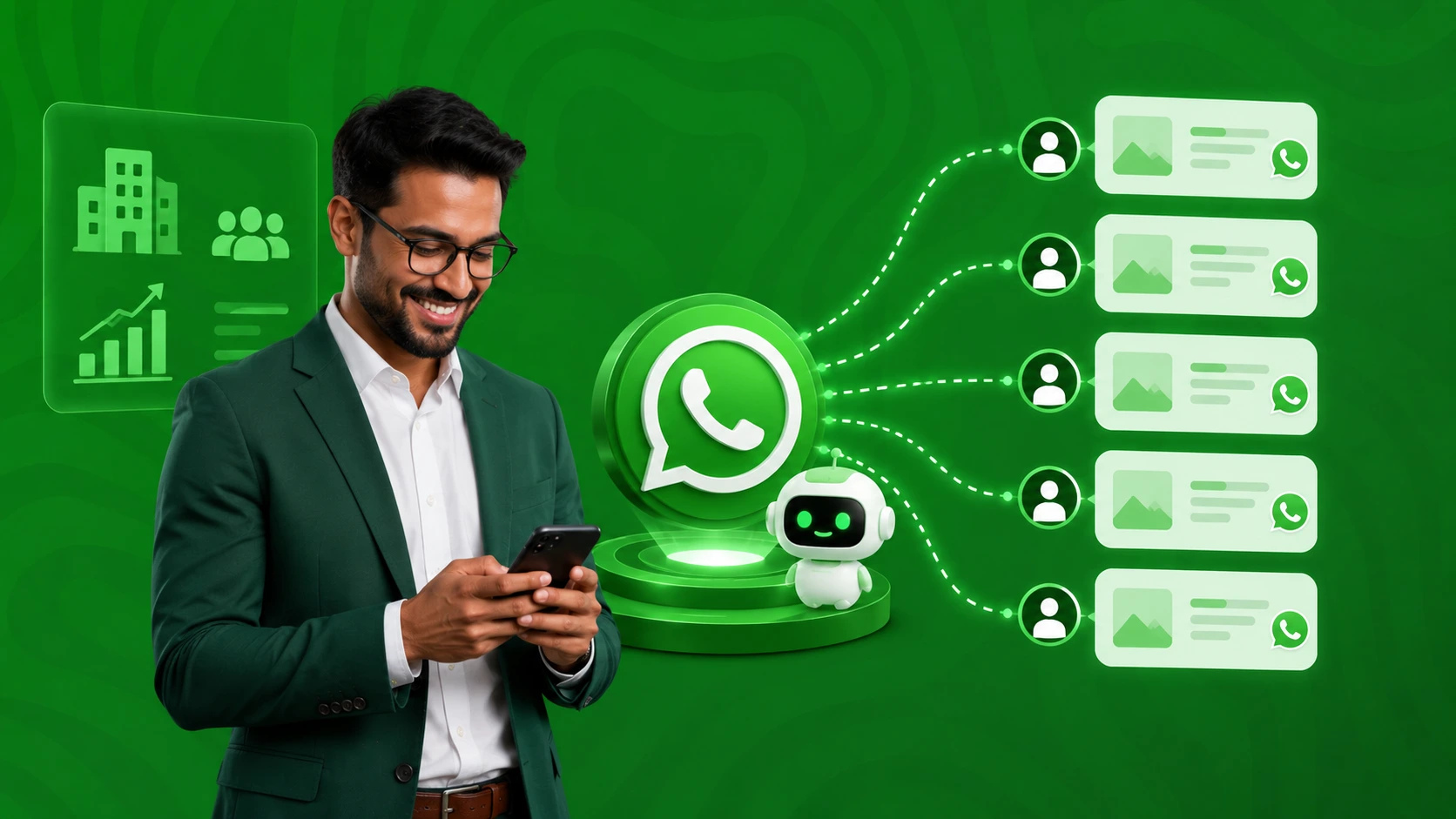
A WhatsApp automation workflow is a pre-built sequence of triggered messages that runs through the WhatsApp Business API without manual intervention. Common workflows include welcome sequences, order confirmations, abandoned cart recovery, appointment reminders, lead qualification, and after-hours customer support. Businesses use them to respond instantly, cut support workload, and convert at higher rates than email or SMS, while staying compliant with Meta's messaging policy.
Your customers already live on WhatsApp. The question is whether your business is set up to talk to them there at scale — automatically, instantly, and without someone tapping replies on a phone for ten hours a day. That is what WhatsApp automation workflows for businesses solve. Instead of one staff member trying to acknowledge every order, chase every cart, and answer every "Bei yake ngapi?" message, a workflow does the routine work, hands the complex conversations to a human, and keeps every customer feeling personally attended to.
This guide walks through what these workflows actually are, the ten most useful ones to build first, how to stay compliant with Meta's rules, and how Tanzanian businesses are deploying them on local networks and in local languages.
It is written for marketing leads, operations managers, and founders who already know WhatsApp matters and now want to operationalise it. By the end you will have a clear playbook you can take to your team, and a sense of whether you should be running this in-house or on a managed platform like Notify Africa's WhatsApp marketing platform built for businesses in Tanzania.
A WhatsApp automation workflow is a defined sequence of messages, conditions, and actions that fires on the WhatsApp Business API in response to a trigger. The trigger could be a customer event in your system (a new order, a paused checkout, a booking), a customer message (a keyword like "MENU"), or a timer (24 hours after delivery). Once it fires, the workflow runs on its own — sending an approved message template, waiting for a reply, routing based on the response, and either resolving the request or escalating to a live agent.
It is the difference between a small business owner manually replying to fifty WhatsApp messages a day and an automated system running thousands of personalised conversations in parallel, with humans stepping in only when the conversation genuinely needs them.
The free WhatsApp Business app supports basic "away messages" and quick replies on a single device. That is not automation — it is a slightly smarter inbox. True workflows require the WhatsApp Business Platform (Cloud API), accessed through an authorised Business Solution Provider.
According to Meta's developer documentation, the Cloud API supports up to 80 messages per second per registered business phone number by default, with higher throughput available through automatic upgrade. That is the infrastructure layer that makes workflows possible at scale.
If your team is still copy-pasting replies on a single phone, you have already outgrown the app. Notify Africa offers the full WhatsApp Business API on a platform engineered for 5,000 messages per second with 99.9% uptime — a different category of capability altogether.
The Three Things Every Workflow Needs
Every working automation has the same three ingredients:
A reliable trigger that fires the workflow at the right moment, sourced from your CRM, e-commerce platform, booking system, or WhatsApp inbox.
An approved message template (for outbound, business-initiated messages) or a free-form reply (for messages inside the 24-hour customer service window).
A clear escalation path that hands the conversation to a human the moment the customer asks for one.
Skip any of these and the workflow either fails to send, gets your account flagged, or annoys customers who feel they are talking to a wall.
The simple reason: every other channel is leaking attention, and WhatsApp is not. WhatsApp messages achieve open rates exceeding 98%, with most messages read within minutes of delivery.
Research data suggests that 88% of WhatsApp messages are read within the first five minutes. Email open rates sit around 20%. SMS is one-way and capped at 160 characters. WhatsApp is two-way, rich-media, and almost always read.
The business case gets sharper when you layer in automation. Automatable interactions via chatbots and workflows can reduce customer service workload by up to 54%. Around 70% of companies using chatbots on WhatsApp report higher customer satisfaction, and response times have dropped by up to 35% with automation.
An estimated 53% of retailers now automate messaging over the WhatsApp Business Platform. For e-commerce specifically, WhatsApp cart recovery messages convert at roughly 18% on average versus 3–5% for email — a gap that translates directly into recovered revenue every week.
For Tanzanian businesses the case is even sharper. Customers across Vodacom, Airtel, Mixx by Yas, and Halotel networks default to WhatsApp for everything from price enquiries to delivery coordination. Voice calls cost airtime; WhatsApp uses bundles or Wi-Fi. SMS lacks media. Email is rarely opened. If you are not present on WhatsApp with structured, automated journeys, you are losing the conversation to the competitor who is.
Launch Your First WhatsApp Workflow This Week
Create a free Notify Africa account, get the official WhatsApp Business API set up by our team, and go live with your first automated workflow.
Get Started for FreeBefore listing the workflows worth building, it helps to see what is happening under the bonnet. Every automation breaks down into four layers.
Triggers are what start the workflow. They come from three sources. System events fire when something happens in your business — a new lead in your CRM, an order paid for in Shopify or WooCommerce, a booking made in your scheduling tool, a payment received on M-Pesa.
Inbound messages fire when a customer sends a specific keyword or taps a quick-reply button. Time-based triggers fire on a schedule — twenty-four hours after delivery, three days before a subscription renews, every Friday afternoon.
The cleaner your trigger data, the cleaner the workflow. If your CRM still has duplicate contacts and missing phone numbers, automate the data hygiene first.
For any business-initiated message — meaning a message sent outside the 24-hour window after a customer last messaged you — you need a pre-approved message template. Meta categorises these into three buckets. According to the WhatsApp Business Messaging Policy, templates must be one of three main types: Marketing Templates used for promotions and customer engagement,
Utility Templates used for transactional updates such as order confirmations and account alerts, and Authentication Templates used to send one-time passcodes for identity verification.
Templates take minutes to a few hours to approve when written correctly. The most common rejection reasons are mis-categorisation (promotional content submitted as utility), vague variables, and missing context. Notify Africa's onboarding team handles template drafting and submission for clients, which is usually the difference between launching in days versus battling rejections for weeks.
Logic is what makes a workflow feel intelligent. After the first template sends, the workflow waits for a response and branches based on what comes back. If the customer taps "Yes, confirm", the order proceeds. If they ask "When will it arrive?", the bot answers from a knowledge base.
If they say "Speak to someone", the conversation is routed to the right agent with full context attached. Modern AI chatbots take this much further — understanding intent rather than matching keywords, holding context across multi-turn conversations, and pulling real-time data from your systems. Notify Africa's AI-powered WhatsApp chatbot handles this layer in English, Swahili, or both.
This is the layer most businesses get wrong. Meta's policy is explicit on this point: automation may be used when responding during the 24-hour window, but prompt, clear, and direct escalation paths must be available. A workflow that traps customers in bot replies with no way out will tank your quality rating fast — and quality rating directly controls how many messages Meta lets you send per day.
The best workflows are designed with handoff in mind from day one: a "Talk to a person" button on every menu, an escalation keyword (like "AGENT"), and a unified team inbox where humans pick up the conversation with the full automation history visible.
Below are the ten workflows that deliver the fastest, most measurable returns. Most businesses can launch the first five within two to three weeks on the Notify Africa platform.
Trigger: a new customer opts in through your website, a click-to-WhatsApp ad, or a QR code in your store. The workflow sends a branded welcome template, explains what messages they will receive, asks one or two qualifying questions, and routes them into the right segment.
For service businesses, the welcome workflow often ends with a "Book a free consultation" button that drops the lead into your calendar without ever leaving WhatsApp.
This is the most undervalued workflow on the list. A strong welcome message sets the relationship tone, secures category-level consent for future messages, and reduces opt-out rates later.
Trigger: a customer completes checkout on your e-commerce store, books a service, or pays for a subscription. The workflow fires an instant utility template with order number, items, total, expected delivery window, and a tracking link.
Subsequent messages confirm dispatch, share the rider's number for last-mile delivery, and notify on delivery completion.
This single workflow consistently produces the largest drop in "where is my order?" support tickets. According to industry data, businesses see automated messaging as essential — 64% of SMBs and mid-sized companies view WhatsApp chatbots as crucial for growth and customer service, and order updates are usually the first workflow they automate. Pair these with a transactional bulk SMS fallback for customers who occasionally drop off WhatsApp.
Trigger: a customer adds items to their cart but does not complete checkout within thirty to sixty minutes. The classic three-step sequence works best — a friendly reminder with the abandoned items and a one-tap checkout link within the first hour, a follow-up at twenty-four hours addressing the most common objection (often shipping cost) with a small incentive, and an optional final nudge at forty-eight hours.
The numbers behind this workflow are unambiguous. Independent research from Baymard Institute puts the average online cart abandonment rate at 70.19% across fifty studies.
Businesses using WhatsApp for cart recovery commonly report recovering anywhere between 15% to 45% of abandoned carts, with well-structured sequences performing at the higher end. If you run an e-commerce business in Tanzania and you are not running this workflow, you are leaving more revenue on the table than any other single fix will recover.
Trigger: a booking made in your scheduling system, plus time-based follow-ups twenty-four hours and one hour before the appointment. The workflow confirms the booking, sends a reminder with the location, lets the customer confirm or reschedule with a single tap, and notifies your team of the response.
For clinics, salons, garages, training providers, fitness studios, and field-service businesses, this workflow alone typically pays for the platform inside a month by cutting no-shows by 40–60%.
Trigger: a customer clicks a "Chat on WhatsApp" button on your website, a Click-to-WhatsApp ad on Facebook or Instagram, or sends a keyword to your business number. The workflow greets them, asks three to five qualifying questions (budget, timeline, location, use case), tags them in your CRM, and routes hot leads directly to your sales team — usually within seconds, not hours.
This is what replaces the leaky landing-page-form-then-call-them-later funnel. The reason it works is speed: by the time a traditional sales team would have called the lead back, an automated WhatsApp flow has already qualified them and booked the demo.
Trigger: any inbound customer message. The workflow uses an AI assistant trained on your business — your prices, hours, locations, return policy, product catalogue, common troubleshooting steps — to answer instantly. Anything it cannot answer with confidence is escalated to a human in your shared inbox with the conversation history attached.
Done well, this workflow handles 60–80% of inbound enquiries automatically, freeing your support team to focus on the conversations that actually need a human. Notify Africa's AI assistant for WhatsApp, web, Instagram, and Messenger is built for exactly this scenario, with native English and Swahili comprehension.
Trigger: an upcoming invoice due date, a successful payment via M-Pesa or Mixx by Yas, or a failed recurring charge. The workflow sends a polite reminder before the due date, a thank-you with a digital receipt after a successful payment, and a recovery message with a one-tap pay link after a failed payment. For SaaS, gyms, schools, microfinance, and any subscription business, this workflow alone recovers meaningful revenue every month that would otherwise quietly churn.
Trigger: a customer who has not interacted with your business for thirty, sixty, or ninety days. The workflow sends a personalised marketing template — a relevant offer, a new product launch, or simply a "We miss you" with a discount — and routes any response into a live sales conversation.
This workflow respects the rule that marketing templates need clear opt-in, but it does the heavy lifting of bringing dormant customers back into active conversations. Keep frequency conservative: one to two marketing messages per week is the ceiling most businesses should respect to protect their quality rating.
Trigger: an order delivered, an appointment completed, or a support ticket resolved. The workflow waits an appropriate interval — usually twenty-four to seventy-two hours — then asks for a quick rating and optional comment. Positive responses route to a Google Maps or Facebook review link. Negative responses route straight to a human for recovery before the customer posts a public complaint.
This is the workflow that quietly compounds. Each cycle gives you more reviews, more product insight, and more chances to fix problems before they leave the building.
Trigger: any internal event that needs human attention — a hot lead that wasn't picked up within five minutes, a stock-out alert, a delivery delay, an after-hours customer complaint, a shift change. The workflow notifies the right team member on their WhatsApp with structured context and one-tap response options.
Most businesses think of WhatsApp as customer-facing, but the same platform is one of the cleanest internal communication layers available. It cuts the noise from WhatsApp groups and puts the right alert in front of the right person, every time.
Get the Full Workflow Library Set Up by Our Team
Book a demo with Notify Africa and we will map your top three workflows, draft the templates, and have you live within days.
Book a DemoWhatsApp is the most strictly governed business messaging channel in the world, and that is a feature, not a bug. The rules are what keep open rates at 98% and inboxes clean. Break them, and Meta will throttle your messaging limits or suspend your number.
According to Meta's official guidance on getting opt-in for WhatsApp, before messaging people on WhatsApp, businesses are required to obtain opt-in permission, which can be general and not specifically for WhatsApp, as long as businesses comply with all local laws. The opt-in must clearly state that a person is opting in to receive communication from the business and clearly state the business's name.
Capture opt-in at every reasonable touchpoint — checkout, sign-up forms, in-store, call centre — and store the proof. Tanzania's Personal Data Protection Act, 2022 layers additional consent and data-handling requirements on top of Meta's policy, and the Personal Data Protection Commission has been active on enforcement. The safe path is a single consent flow that satisfies both.
When a customer messages your business, a 24-hour window opens. Inside that window you may reply with free-form messages without using a template, and conversations initiated by users open once the first business reply message is delivered.
Once the window closes, any further business-initiated message must be a pre-approved template. This rule is what makes the difference between a "service" reply (often free) and a "marketing" template (priced per message). Workflows should be designed to do as much as possible inside the free window.
Every template you submit lands in one of three categories — marketing, utility, or authentication — and Meta will reclassify it if the content does not match. Templates also carry a quality rating that updates based on customer feedback. The system uses High Quality, Medium Quality, and Low Quality ratings based on usage, customer feedback, and engagement. Low ratings trigger pacing or pausing. The fix is simple in principle: send relevant messages to people who opted in, keep frequency reasonable, and make opt-out painless.
For Tanzanian businesses, the layered framework looks like this: Meta's WhatsApp Business Messaging Policy governs how you message globally, the Tanzania Communications Regulatory Authority governs telecommunications and electronic communications more broadly, and the Personal Data Protection Commission enforces the Personal Data Protection Act. A well-built WhatsApp automation programme is designed to comply with all three from day one, not retrofitted later.
The mechanics of WhatsApp automation are global. The execution is local. A few things change when you build for Tanzanian businesses specifically.
Language matters.
A workflow that fires in English when the customer wrote in Swahili converts at a fraction of one that handles both naturally. Code-switching is normal — a customer might open with "Hi, is this number for orders?" and reply two messages later with "Sawa, nitulipie kwa M-Pesa." Workflows need to handle that fluidly. Notify Africa's AI assistant is trained for English and Swahili out of the box.
Payments matter.
Most workflows that touch revenue need to integrate with M-Pesa, Mixx by Yas, Airtel Money, bank transfers, and cards. Reminders, receipts, and recovery messages are only useful if the pay link inside them works on whichever method the customer prefers.
Networks matter.
Delivery performance varies by carrier. A platform with a 98.5% delivery rate across Vodacom, Airtel, Mixx by Yas, and Halotel is the floor — anything below that means your workflows will quietly miss customers. Latency matters too: a sub-30ms median round-trip is what makes an automated reply feel instant rather than awkward.
Support matters.
The platforms that work for Tanzanian businesses are the ones with a team you can actually call, in Dar es Salaam, in your language, on a Wednesday afternoon when a campaign goes sideways. That is what separates a local Meta-approved Business Solution Provider from a global tool with a help desk twelve time zones away.
Talk to a WhatsApp Automation Specialist
Our team helps Tanzanian businesses scope, build, and launch automation workflows on the official WhatsApp Business API.
Talk to an ExpertThe fastest path from "interested" to "live workflow" looks like this.
Start by picking one workflow that maps to a real, measurable pain point — usually order updates, abandoned cart recovery, or after-hours support. Resist the temptation to build five at once. One workflow done well teaches you more about your customers than five half-finished ones.
Create a free Notify Africa account and connect your WhatsApp Business number. Our onboarding team handles the official Meta verification, the Business Solution Provider setup, and the technical connection so you do not have to.
Draft the templates needed for the workflow — typically two or three short messages. Submit them through the platform. Most approvals land within minutes to a few hours when categories are correct.
Build the logic in the workflow builder: the trigger, the message sequence, the conditions, and the escalation rules. For developer teams who want full control, the Notify Africa API and developer documentation covers the webhooks, HMAC verification, and request patterns needed to integrate the workflow directly with your CRM, e-commerce store, or back-office systems.
Pilot the workflow with a small segment first — say, the next hundred orders or the next week of abandoned carts. Measure delivery, response, and conversion. Adjust copy, timing, and escalation thresholds. Then scale.
Once one workflow is humming, the second and third take a fraction of the time. Most Notify Africa customers move from a single workflow to a connected library of five or six within ninety days.
A few patterns explain most of the failed WhatsApp automation projects we see.
Treating templates like email subject lines.
Long, promotional copy in a utility template gets reclassified or rejected. Keep utility messages clinical, marketing messages clear, and authentication messages short.
Sending too often.
One or two marketing messages a week is a ceiling most businesses should respect. Sending promotional templates at 11pm earns blocks, not clicks. Respect time zones and schedule broadcasts during working hours in the recipient's market.
Skipping opt-in.
The temptation to upload a contact list and broadcast is real. The consequence is a banned number and a quality rating you cannot recover. Always import only opted-in contacts.
Trapping customers in bots.
The fastest way to destroy customer goodwill is to make it impossible to reach a human. Every workflow should have a one-tap escape to a real person.
Building in isolation from the inbox.
Workflows that fire off into the void without anyone watching the replies are how you miss the lead who said "Yes, I want to buy three" at 9pm on a Saturday. A unified team inbox is non-negotiable.
Ignoring the metrics.
Delivery, read, response, conversion, opt-out, and quality rating are the six numbers to watch every week. A platform that does not surface them clearly will leave you flying blind.
A chatbot handles a single conversation — answering whatever the customer types, in real time. A workflow is a broader concept that includes the chatbot plus all the surrounding logic: triggers from external systems, scheduled messages, conditional branches, integrations with your CRM and payment tools, and escalation rules. Every chatbot can be a workflow, but not every workflow needs a chatbot. An order confirmation that fires on a Shopify purchase is a workflow with no bot involved.
Yes. The free WhatsApp Business app supports basic away messages and quick replies but cannot trigger workflows from external systems, send approved templates at scale, or integrate with your CRM. Anything beyond simple one-to-one chatting requires the WhatsApp Business Platform, accessed through a Meta-approved Business Solution Provider like Notify Africa.
For a single, well-scoped workflow — say, order confirmations or appointment reminders — most Notify Africa customers go live within five to ten working days. The bottleneck is usually template approval and integration with your existing systems, not the workflow build itself. More complex AI-powered workflows that need training on a specific business knowledge base typically take two to four weeks.
Costs break down into three components: the platform fee for the automation software, Meta's per-message conversation fees (which vary by category — marketing, utility, or authentication — and by country), and any AI usage charges for advanced chatbot workflows. Service replies inside the 24-hour window are free. For most Tanzanian small and mid-sized businesses, the total monthly cost is significantly lower than a single full-time customer service agent and recovers many times that in saved time and recovered revenue.
In a well-built workflow, the reply either feeds into the next step of the automation or escalates to a live agent in your shared inbox. The customer never feels they are talking to a wall. Replies that match expected options (like a confirmation tap or a keyword) progress the workflow. Anything else routes to a human, with the full automation history attached so the agent can pick up the conversation in context.
Watch six numbers every week: delivery rate (messages successfully delivered to WhatsApp), read rate (messages opened within twenty-four hours), response rate (replies relative to delivered), conversion rate (the workflow's specific business outcome, such as completed checkouts or booked appointments), opt-out rate (customers leaving the list), and quality rating (Meta's score for your number). Notify Africa's dashboard surfaces all six in one view so you can spot drift before it becomes a problem.
Stop Manually Replying to Every WhatsApp Message
Get the official WhatsApp Business API, a unified team inbox, and ready-to-launch automation workflows — all on one platform built for Tanzanian businesses.
Start for Free TodayWhatsApp automation workflows are no longer a competitive edge in Tanzania. They are the floor. Customers expect instant order confirmations, instant answers to product questions, instant delivery updates, and they expect all of it on the app they already use forty times a day. The businesses winning right now are the ones that built these workflows last year. The businesses winning next year are the ones building them this quarter.
The four things to remember from this guide.
First, automation works because WhatsApp gets read — open rates near 98%, most messages seen within five minutes.
Second, the highest-ROI workflows to build first are order updates, abandoned cart recovery, lead qualification, and AI-powered FAQ support.
Third, compliance with Meta's policy, opt-in rules, and Tanzania's data protection law is non-negotiable and best designed in from day one.
Fourth, the difference between workflows that perform and workflows that fail is almost always the escalation path — keep humans visible and reachable, always.
If you want to skip the trial-and-error and launch with workflows that already work for businesses across Tanzania, the Notify Africa team is in Dar es Salaam, speaks English and Swahili, and handles every layer from Meta verification to live workflow tuning. Create a free account on the Notify Africa WhatsApp Business platform and start with one workflow this week — your customers will notice the difference before the month is out.

A solution by iPF Softwares, an ISO 27001:2022 certified software development company.