
 Call Center
How Much Does a Call Center Cost in Tanzania?
Beatha Beichumila
Last Updated :
27th November 2026
By Beatha Beichumila
Product Specialist
Share this article with your friends
Quick Answer: To answer business calls on a computer, you need a cloud phone system that rings your business number in a web browser. Staff sign in, allow the browser to use the microphone, put on a headset and click Answer. To answer on a mobile phone, the same system forwards calls to the staff member's normal number, so any phone works. Most teams use both, with a mobile fallback when nobody answers in the browser.
A customer calls your business number. The phone on the reception desk rings, but the receptionist is helping someone at the counter, the sales lead is at a client meeting in Mikocheni, and the owner is driving to Morogoro. The call rings out and the customer calls your competitor instead.
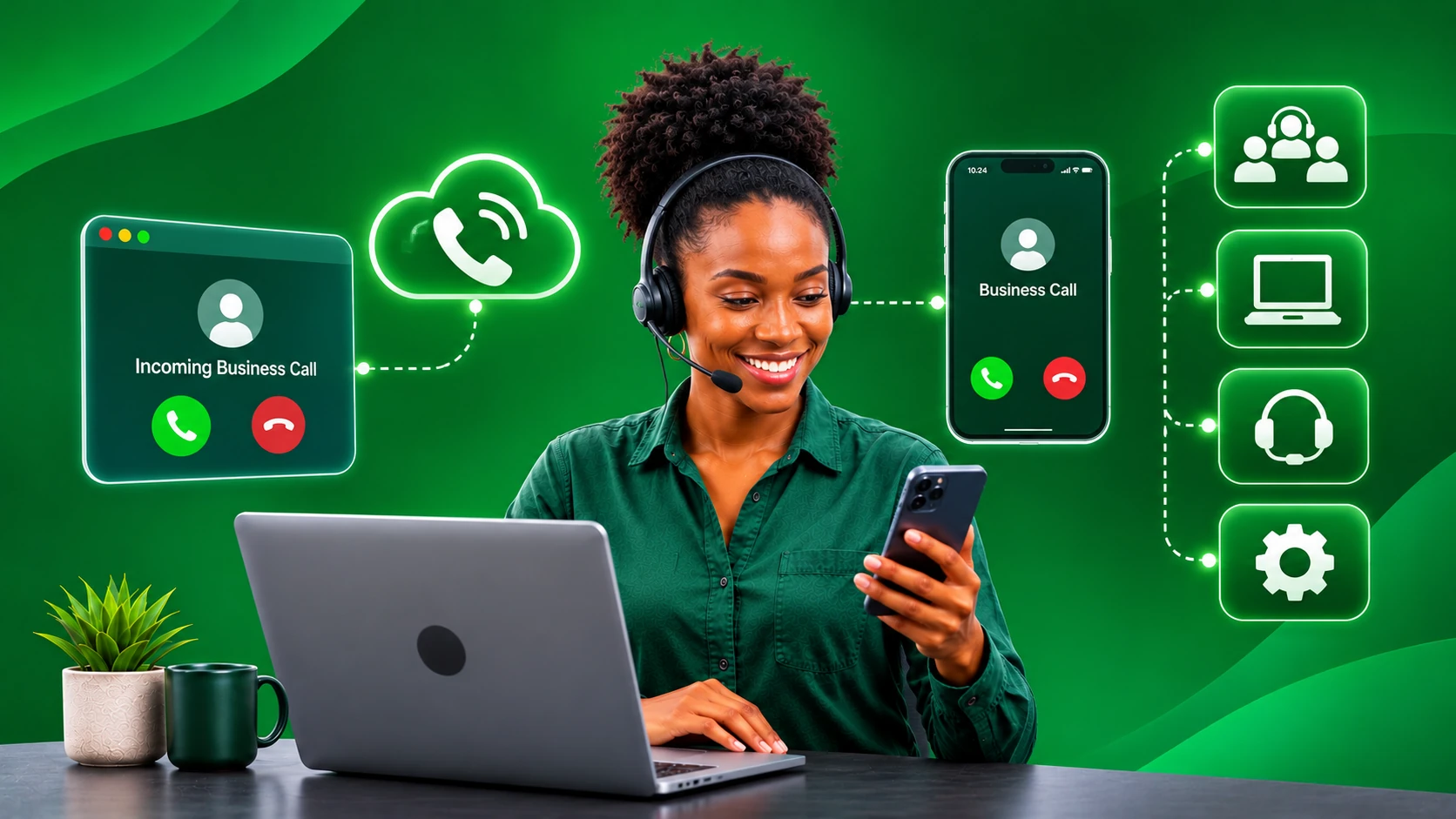
The fix is not a bigger desk phone. It is letting your team answer business calls on a computer or a mobile phone, wherever they are, from one shared business number. Staff in the office take calls in their web browser with a headset. Staff on the move take the same calls on their own mobile, without ever giving the customer a personal number.
This guide explains how browser calling and mobile answering work, what equipment and internet you actually need, and how to set up each staff member step by step. It also covers how to mix desk and mobile staff on one line, how to fix the common audio problems, what Tanzanian privacy law expects when you record calls, and what it costs. Everything here is based on how Notify Africa Call Center works today for businesses across Tanzania.
Answering business calls on a computer means your business phone number rings inside a web browser on a laptop or desktop, and staff talk to the caller through a headset or the computer's own microphone and speakers. There is no desk phone, no PBX box and no software to install. The customer makes a normal phone call and has no idea the person answering is sitting at a laptop.
This works because your business number lives in a cloud call center rather than on a physical phone line. When a call comes in, the system plays your greeting and call menu, then rings the staff members you chose. Whoever clicks Answer first takes the call.
How Does Browser Calling Work?
Modern browsers such as Chrome, Edge, Firefox and Safari have voice calling built in. The technology is called WebRTC, and it is an open standard published by the World Wide Web Consortium as WebRTC: Real-Time Communication in Browsers. It lets a web page send and receive live audio without plugins.
For safety, browsers only give a web page access to your microphone after you agree. According to MDN Web Docs, a page must be loaded over a secure HTTPS connection, and the user must grant permission before the microphone can be used. That is why the first time a staff member signs in, the browser asks "Allow microphone?" and they need to click Allow.
Once the call is connected, the caller's voice travels over the phone network to the cloud system, and from there over the internet to the browser. Your staff member's voice travels back the same way.
Answering on a mobile phone is simpler. The cloud call center forwards the call to the staff member's ordinary mobile number, so their phone rings like any other call. They answer with the green button. No app, no smartphone and no internet connection is needed on their side, which means a basic phone works.
The difference from giving out a personal number is control. The customer still dials the business number. The business decides who gets rung, when, and in what order. When a staff member leaves, you remove their mobile from the rules and customers keep calling the same number. For more on the rules behind this, see our guide on how to set up call forwarding for your business number.
Most businesses should use both: computers for staff who sit at a desk during working hours, and mobiles for owners, field staff and as a fallback when nobody answers in the browser. The right mix depends on where your staff spend their day.
Answering on a computer
Best for: reception, customer care, sales desks, finance offices
Needs: computer, modern browser, headset, stable internet
Strengths: hands free for typing notes, see caller details and call history on screen, call back from the missed-call list in one click
Weak points: depends on the office internet and power
Answering on a mobile phone
Best for: owners, field sales, delivery coordinators, technicians, after-hours cover
Needs: any mobile phone on any Tanzanian network
Strengths: works anywhere there is signal, works on basic phones, no internet needed
Weak points: harder to take notes, staff may be driving or in a meeting
A simple rule works for most teams: if a person spends most of the working day at a desk, they answer in the browser. If they spend it moving, they answer on their mobile. The owner or a supervisor is usually the mobile fallback for everyone.
Answer Every Call From One Business Number
Let your team take calls on a computer or mobile, ready in 1 to 2 working days. Button Text: Get Your Business Number
Get Your Business NumberYou need four things: a cloud call center plan with enough seats for the staff who answer, a computer with a modern browser for desk staff, a headset, and a stable internet connection. Mobile-only staff need nothing but their phone.
Here is the full checklist:
A business number on a cloud call center plan. With Notify Africa Call Center, a new number is usually ready in 1 to 2 working days.
Enough staff seats. Starter covers up to 3 staff who answer calls, Business up to 8 and Growth up to 20.
A computer for each desk staff member, with an up-to-date version of Chrome, Edge, Firefox or Safari.
A headset for each desk staff member.
A stable internet connection in the office, with a backup option.
The mobile numbers of staff who will answer on their phones or act as a fallback.
Your working hours, so the system knows when to ring staff and when to play your out-of-office message.
Browser calling needs a stable connection more than a fast one. A voice call carries very little data. The Opus audio codec, which browsers use for WebRTC calls and which is defined by the IETF in RFC 6716, can carry speech at bitrates starting from just 6 kilobits per second. That is a tiny fraction of what a video call or a YouTube stream uses.
What spoils calls is delay and dropouts, not low speed. The International Telecommunication Union's guidance on one-way transmission time, ITU-T G.114, sets 400 milliseconds as an upper limit for network planning and notes that natural conversation is affected by much lower delays. In practice, that means:
Wired fibre or a good office router is better than a shared mobile hotspot.
Large downloads, software updates and video streaming on the same connection can make call audio choppy.
A backup connection, such as a 4G or 5G router, keeps calls running when the main line drops.
If the internet in the office goes down completely, the mobile fallback still catches calls, because forwarding to a mobile does not depend on your office internet.
Tanzanian connectivity makes browser calling realistic for most urban businesses. The Tanzania Communications Regulatory Authority publishes quarterly figures on its communication statistics page, and its latest reports show internet subscriptions above 62 million, with mobile broadband the most common way people connect.
Use a wired USB headset or a good Bluetooth headset with a microphone on a boom arm. A headset matters more than most owners expect, for three reasons:
It stops echo. Without a headset, the caller's voice comes out of the laptop speakers and back into the microphone, so the caller hears themselves.
It cuts background noise from the shop floor, the street or the next desk.
It keeps the staff member's hands free to type the customer's order or notes while talking.
Laptop speakers and microphones work for a quick test, but not for a full day of customer calls. A basic USB headset is a small cost compared with one lost sale.
Setting up browser answering takes under an hour once your number is live. Follow these eight steps for each staff member.
Pick Starter, Business or Growth based on how many staff need to answer calls and how many call minutes you expect. Our Dar es Salaam team sets up your number and line, usually within 1 to 2 working days. If you are still designing the whole system, start with our guide to setting up a professional business phone system.
Before any staff member answers, decide what callers hear. Start from a Swahili or English template, record a short greeting such as "Karibu Mushi Traders. Kwa mauzo bonyeza 1, kwa huduma kwa wateja bonyeza 2", and listen before you save. The menu sends each caller to the right group of staff.
Add every person who will answer calls, with their name and, if they will also answer on a mobile, their mobile number. Group them by what they handle, such as sales, customer care or accounts, so the call menu can ring the right group.
Each staff member opens the browser, signs in to the Notify workspace, and clicks Allow when the browser asks to use the microphone. If they miss the prompt, they can allow it later from the padlock icon next to the web address.
Connect the headset before testing. In the browser or computer sound settings, make sure the headset is selected as both the microphone and the speaker. A common mistake is a headset plugged in while the browser still uses the laptop's built-in microphone.
Decide whether calls ring everyone in the group at once or take turns. Ringing everyone at once gets the fastest answer. Taking turns spreads the work fairly across staff.
Add a fallback mobile number so that if nobody answers in the browser within 20 seconds, the call moves to a mobile instead of ringing out. Set your working hours so that after closing, callers hear your out-of-office message and get a text back.
Call your business number from an ordinary phone, ideally on a different network from your office. Press each menu option, answer in the browser, check that both sides hear each other clearly, then let the call ring out to confirm the fallback works. Once everything checks out, share the business number on your website, receipts, vehicles and social pages.
To answer on a mobile, add the staff member's mobile number to the ringing rules. When a customer calls the business number, their phone rings like a normal call and they answer it. There is nothing to install.
A few practical tips make mobile answering work well:
Ask mobile staff to save the business number in their contacts, so they recognise business calls if your setup shows that number.
Agree on how staff greet callers, for example "Habari, Mushi Traders, naitwa Baraka. Nikusaidie nini?", so mobile calls sound as professional as desk calls.
Remind staff not to answer while driving. A missed call goes on the call-back list and the caller gets a text, which is better than an unsafe conversation.
Keep mobile staff to people who can genuinely pick up. A long list of people who never answer only delays the caller.
Ring everyone at once when speed matters most, such as orders, bookings and urgent support. Take turns when calls are steady and you want the work shared evenly. Many businesses use ring-all for sales and take-turns for customer care.
How Does the 20-Second Fallback Work?
If nobody answers in the browser within 20 seconds, the call moves to a fallback mobile. This catches calls when desk staff are busy, on a break or when the office internet is down. If the fallback is not answered either, the call goes on the missed-call list and the caller gets a text back, so they know you saw it. Our guide to missed call text back explains how to write that message.
Not Sure How to Set Up Your Team?
Our Dar es Salaam team will help you plan who answers, where and when.
Book a Free Setup CallA mixed setup puts desk staff in the browser first and mobile staff as the fallback. Here is how four common Tanzanian businesses might set it up. These are illustrative examples, not measured results.
A retail shop in Kariakoo
Two counter staff answer in the browser on a shared laptop at the till, ringing at the same time. The owner is the mobile fallback. After closing, callers hear the out-of-office message and get a text saying when the shop opens.
A private clinic in Arusha
Reception answers appointment calls in the browser. Lab staff answer "press 2 for lab results" calls on a desk computer. The clinic manager's mobile is the fallback for both groups.
A distributor with field sales
One office coordinator answers in the browser. Five field sales staff answer on their mobiles, taking turns, so calls reach someone on the road. Every call, answered or missed, shows in one place, so the coordinator can see who called which customer.
A private school in Dodoma
The bursar and admissions officer answer in the browser during office hours. Outside office hours, calls go to the head teacher's mobile only for the "urgent" option, and everyone else hears the out-of-office message.
If several staff currently use their own SIM cards for customer calls, moving them onto one business number is the first step. Our upcoming guide on moving staff from personal SIMs to one business number covers that change in detail.
Most browser calling problems come from five causes: a blocked microphone, the wrong audio device, echo, a weak connection or a sleeping computer. Each has a quick fix.
The caller cannot hear you
The browser is blocking the microphone or using the wrong one. Click the padlock icon next to the web address, allow the microphone, and select the headset in sound settings.
You hear an echo, or the caller hears themselves
Someone is using laptop speakers instead of a headset. Switch to a headset.
The audio is choppy or cuts out
The connection is overloaded or unstable. Pause large downloads and video streaming, move closer to the router or use a cable, and check the backup connection.
Calls do not ring at all
The staff member closed the browser tab, signed out, or the computer went to sleep. Keep the tab open during working hours and set the computer not to sleep while plugged in.
Calls ring in the browser but nobody notices
The computer volume is muted or set low. Turn up the system volume and keep the headset on, or connect speakers for the ringtone only.
When problems continue, the 20-second fallback keeps customers from being stranded while you fix them.
When staff answer business calls on a computer or mobile, the conversation and the caller's number are personal data, so they must be handled with care. Tanzania's Personal Data Protection Act, 2022 sets the rules for collecting and processing personal data, and it is enforced by the Personal Data Protection Commission.
In practical terms:
Tell callers when calls are recorded. A short line in your greeting, such as "Simu hii inaweza kurekodiwa kwa ajili ya kuboresha huduma", is a simple way to do it.
Keep recordings only as long as you need them. Notify Africa keeps recordings for 30 days on Starter, 90 days on Business and 365 days on Growth.
Control who can listen. Only managers and the staff who handled a call should usually access its recording and transcript.
Remind staff answering on mobiles not to save customers' details in their personal contacts or share them on personal chats.
This section is general information, not legal advice. For your specific situation, speak to a lawyer.
Give Every Staff Member a Professional Line
Browser and mobile answering, call recordings and a missed-call list on every plan.
Start Your Call CenterWith Notify Africa, answering on a computer and on a mobile is included in every plan. You pay one monthly price, VAT included, plus a one-time setup fee with your first month. There is no PBX or desk phone to buy.
Starter: TZS 99,900 a month. 1 phone number, up to 3 staff who answer calls, 300 call minutes, 300 SMS, recordings kept 30 days. Setup fee TZS 149,000.
Business: TZS 279,900 a month. 1 phone number, up to 8 staff who answer calls, 800 call minutes, 1,500 SMS, WhatsApp follow-up, recordings kept 90 days. Setup fee TZS 249,000.
Growth: TZS 649,900 a month. 3 phone numbers, up to 20 staff who answer calls, 2,500 call minutes, 4,000 SMS, WhatsApp follow-up, recordings kept 365 days. Setup fee TZS 249,000.
Enterprise: priced around your call volume, for more than 20 staff, more numbers and several branches.
Call minutes cover calls you receive and calls you make, counted per started minute, and you can top up anytime. Every plan also includes the call menu in Swahili and English, team ringing, the missed-call list, working hours with an out-of-office message, missed-call text back, call recordings and transcripts sent to your email. The text back runs on the same platform as Notify Africa Bulk SMS, and on Business and Growth you can continue the conversation through WhatsApp follow-up. See full Call Center pricing for top-ups and extra numbers.
If you also want calls answered after hours without staff, the optional AI receptionist answers in Swahili and English and hands the call to a person when needed.
Yes. With a cloud call center, your business number rings in a web browser on your laptop, and you answer by clicking Answer and talking through a headset. You do not need a desk phone, a PBX or any installed software. The caller makes a normal phone call from any network and cannot tell you are on a laptop. You only need a modern browser, a working microphone and a stable internet connection. Many Tanzanian businesses now run their whole customer line this way, with mobile phones as a fallback.
No. Browser calling works inside Chrome, Edge, Firefox or Safari without downloads. It uses WebRTC, a web standard for live audio built into modern browsers. The first time you sign in, the browser asks for permission to use your microphone, and you click Allow. After that, calls ring in the open browser tab. Keep the tab open and the computer awake during working hours so calls can reach you.
Yes. The system forwards calls from the business number to each staff member's ordinary mobile number, so their phone rings like any other call. No app or internet is needed on their side, and any phone works, including basic phones. Customers keep calling the business number, never the personal one. When a staff member leaves, you remove their number from the rules and customers are not affected.
If nobody answers within 20 seconds, the call moves to a fallback mobile number. If that is not answered either, the call goes on the missed-call list, grouped by caller, and the caller gets an automatic text back so they know you saw the call. Your team can then call back in one click from the list, the same day or first thing next morning. Outside working hours, callers hear your out-of-office message instead.
Less than most people expect. Voice calls use very little data, because the Opus codec used by browsers can carry speech from as little as 6 kilobits per second. Stability matters more than speed. Avoid sharing the connection with big downloads or video streaming during busy hours, use a cable or sit close to the router, and keep a backup connection such as a 4G or 5G router. If the office internet fails completely, the mobile fallback still catches calls.
Any headset with a microphone works, but a wired USB headset or a good Bluetooth headset with a boom microphone gives the best results. A headset stops echo, cuts background noise and keeps your hands free to type notes. Avoid using laptop speakers for real customer calls, because the caller often hears their own voice coming back. Before going live, select the headset as both the microphone and the speaker in your sound settings.
Yes. That is the main reason to use a cloud call center. One business number can ring several staff at once or take turns between them, in the browser, on mobiles or a mix of both. Starter covers up to 3 staff who answer calls, Business up to 8 and Growth up to 20. Enterprise plans cover larger teams and several branches, each with its own number and team.
Yes. Missed calls go on a call-back list grouped by caller, and staff can call back in one click from the browser. Call minutes cover calls you receive and calls you make, counted per started minute. Starter includes 300 minutes a month, Business 800 and Growth 2,500, and you can top up anytime if you run low.
Yes. Calls are recorded so you can listen back to settle disputes and train staff, and each call is transcribed with the transcript sent to your email. Recordings are kept for 30 days on Starter, 90 days on Business and 365 days on Growth. It is good practice to tell callers in your greeting that calls may be recorded, in line with Tanzania's Personal Data Protection Act.
Yes. Customers make a normal phone call, so any phone works, including basic kitochi handsets with no internet. They dial your business number from any network in Tanzania, hear your call menu, press a number on their keypad and are connected to staff answering on a computer or a mobile. Nothing changes for the caller, however your team chooses to answer.
See Browser and Mobile Answering in Action
Book a free demo and we will show you how your team would answer calls.
Book a DemoLearning to answer business calls on a computer or mobile phone is one of the simplest ways to stop losing customers to missed calls. Your team no longer needs to sit beside a desk phone, and customers no longer need a staff member's personal number.
The key points to remember:
Desk staff answer in the browser with a headset. Mobile staff answer on any phone, with nothing to install.
A stable connection and a proper headset matter more than a fast connection or expensive equipment.
A 20-second fallback to a mobile, plus a missed-call list and text back, means no caller is ignored.
Tell callers when calls are recorded and keep customer details off personal phones.
You now have everything you need to set your team up. Notify Africa Call Center, built by ISO 27001:2022 certified iPF Softwares, includes browser and mobile answering on every plan, with setup help from our Dar es Salaam team in Swahili or English. When you are ready, get your business number and take your first call this week.

A solution by iPF Softwares, an ISO 27001:2022 certified software development company.