 Call Center
After Hours Call Answering: Handle Calls When You're Closed
Fauzia Ibrahim
Last Updated :
22nd November 2026

By Beatha Beichumila
Product Specialist
Share this article with your friends
Interactive voice response (IVR) is a phone system that answers incoming calls with a recorded greeting and a menu of options, such as "press 1 for sales, press 2 for support." The caller presses a number on their keypad, and the system sends the call to the right person, team or recorded message. IVR works on any phone, including basic handsets, and needs no app or internet on the caller's side.
A customer calls your business to ask about a delivery. The phone rings at the front desk, where the receptionist is serving someone in person. Eventually she picks up, listens, and passes the phone to the person who handles deliveries, who is at lunch. The customer waits, gets frustrated and hangs up.
Interactive voice response exists to end that chain of handoffs. Instead of one person catching every call and working out where it should go, a short recorded menu asks the caller what they need and connects them to the right person first time. It is the "Karibu, kwa mauzo bonyeza 1" message you hear when you call a bank, a hospital or a mobile network.
For a long time IVR belonged to large organisations with expensive phone exchanges. That has changed. Cloud phone systems now let a shop, clinic, school or SACCO run a Swahili and English call menu from a web browser, with no hardware.
This guide explains what IVR is, how a call moves through it, what a good menu sounds like, where it helps and where it frustrates callers, and how to decide whether your business needs one.
Interactive voice response is technology that lets a caller talk to a phone system by pressing keys or, in some systems, by speaking. The system plays recorded prompts, listens for the caller's choice, and acts on it. "Interactive" is the important word: the caller is not just hearing a message, they are steering the call.
In everyday business use, IVR, call menu, phone menu and auto attendant all describe roughly the same thing. Strictly speaking, an auto attendant is the simplest form of IVR. It greets callers and transfers them to an extension or department. A fuller IVR system can also play information, such as opening hours or a branch location, without involving a person at all.
A normal business line rings one phone, or perhaps a few phones at once. Whoever answers has to find out what the caller wants and then transfer them, take a message or promise a call back.
An IVR line puts a short decision point in front of your team. The caller hears your greeting, chooses an option, and arrives at the person or message that matches their need. Your staff spend less time redirecting calls and more time solving problems, and the caller hears a professional welcome even when everyone is busy.
No, although they work well together. A traditional IVR follows fixed rules: press 1 and you go here, press 2 and you go there. It does not understand questions.
An AI receptionist answers in natural conversation. A caller can ask "mnafunguliwa saa ngapi kesho?" and get a spoken answer drawn from your business information. Many businesses use both: the IVR handles routing during the day, and the AI receptionist picks up after hours or when the team is busy. Our upcoming guide on what an AI receptionist is and how it answers calls 24/7 (placeholder: /blogs/what-is-an-ai-receptionist) covers the conversational side in depth.
An IVR system works by answering the call automatically, playing a greeting and menu, reading the key the caller presses, and then routing the call according to rules you have set. The whole journey usually takes 10 to 20 seconds before the caller reaches a person.
Here is what happens on a typical call.
The caller dials your business number from any network.
The system answers immediately, so the caller never hears endless ringing.
A recorded greeting plays, ideally naming your business in the first few words.
The menu lists a small number of options, each linked to a keypad number.
The caller presses a key, and the system detects which one.
The call goes to the destination you chose for that option: a team, a single person, a mobile number, a recorded message or an AI receptionist.
If nobody answers within a set time, a fallback rule takes over, such as forwarding to a manager's mobile or sending the caller a text.
When a caller presses a key, the phone sends a pair of tones, one low and one high, that together identify that key uniquely. This method is called dual-tone multi-frequency signalling, or DTMF, and it is defined in ITU-T Recommendation Q.23 from the International Telecommunication Union. Because DTMF is a global standard built into every keypad phone, an IVR menu works the same whether the caller uses the latest smartphone or a basic kitochi handset.
On internet-based phone systems, the key presses travel as digital events rather than audible tones. The Internet Engineering Task Force describes this in RFC 4733 . For a business owner, the practical point is simple: the caller presses a number, and a modern cloud system reads it reliably.
Older IVR systems ran on a physical exchange, known as a PBX, installed in a server room and maintained by a technician. Changing the greeting often meant calling that technician.
Cloud IVR runs on the provider's servers. You record or upload your greeting, set your menu options and choose who answers, all from a browser. Changes take minutes instead of days. If you want the background on the hardware IVR has replaced, our guide to cloud PBX and running business calls without hardware (placeholder: /blogs/cloud-pbx) walks through it.
Every IVR phone menu is built from the same five parts: a greeting, menu options, destinations, timing rules and fallbacks. Getting each part right is what separates a menu callers appreciate from one they hang up on.
The greeting is the first thing every caller hears, so it should confirm straight away that they have reached the right business. Keep it under five seconds. "Karibu Mushi Traders" does more than a long welcome speech about your history and values.
If you record calls, the greeting is also the natural place to say so. A short line such as "simu hii inaweza kurekodiwa" (this call may be recorded) is good practice. The Personal Data Protection Act, sets principles for how personal data, including recordings, is collected and kept. This is general information, not legal advice, so check your own obligations with a qualified adviser.
Options are the choices you offer, each tied to a number. Most businesses need three or four. Each option should describe what the caller wants to do, in their words, not your internal department names. "Kufuatilia mzigo wako" (to track your parcel) is clearer than "logistics operations."
The Destinations
Each option needs a destination. Common destinations include:
A team, where several staff phones ring at once or in turn
One named person, such as the accountant for fee queries
A mobile number outside the office
A recorded information message, such as directions or opening hours
An AI receptionist that can answer common questions
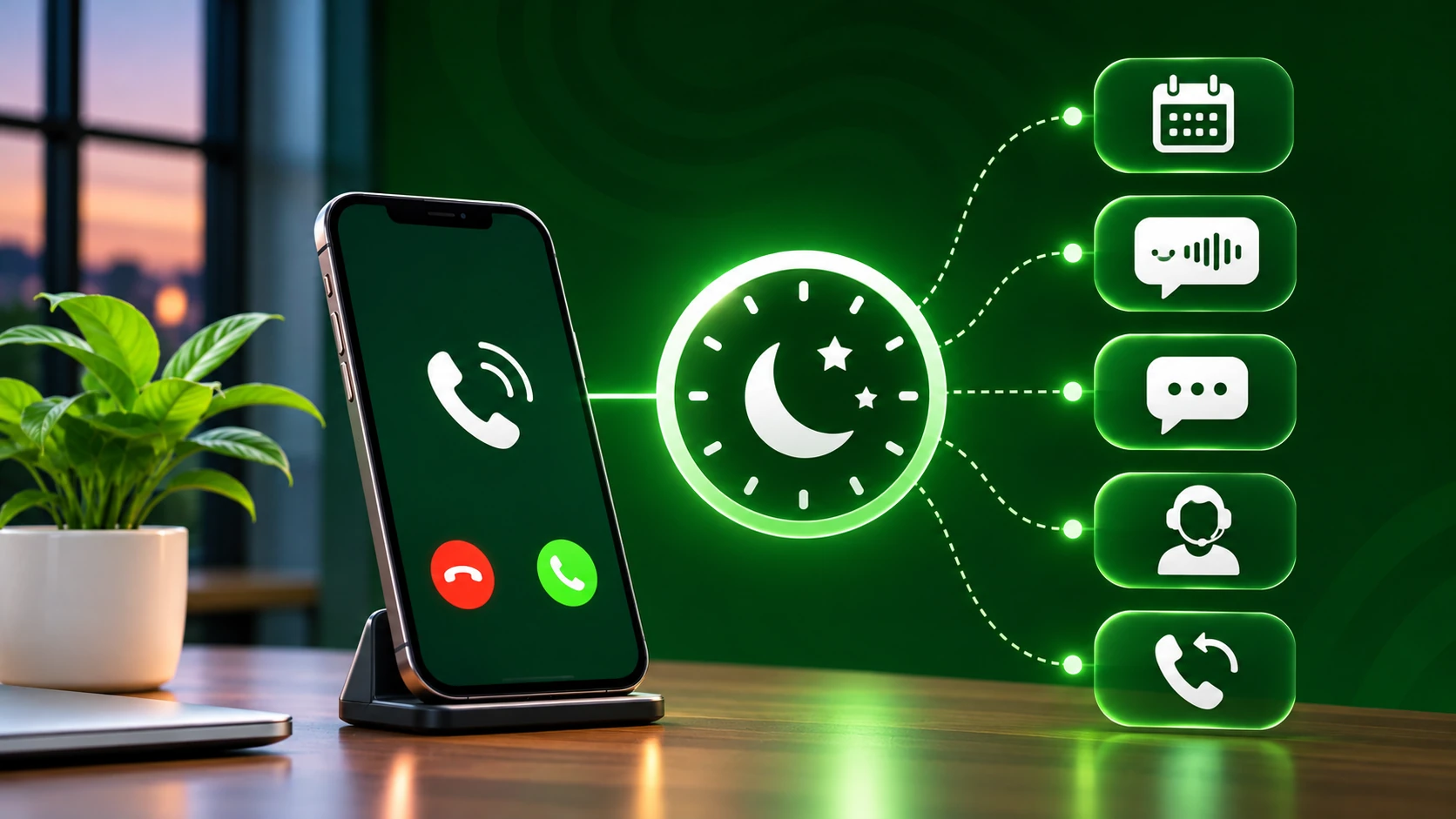
Timing rules decide what happens at different times. During working hours, calls ring your team. After closing, callers hear an out-of-office message instead. Good systems let you set these hours once, so nobody has to remember to switch the phones over at 6 pm. Our guide on handling customer calls outside business hours covers after-hours scripts and routing in detail.
The fallback is the safety net. If nobody answers within a set time, perhaps 20 seconds, the call should not just ring out. It should forward to another phone, offer a message, or trigger an automatic text telling the caller you will call back. A menu without a fallback simply moves the missed call one step down the line.
Start reaching your customers today
Free plan available. No credit card required.
Get Your Business NumberA good IVR menu is short, bilingual where your callers need it, and gets the caller to a person within about 15 seconds. Here is a simple example for a trading business.
Swahili: "Karibu Mushi Traders. Kwa mauzo bonyeza 1, kwa huduma kwa wateja bonyeza 2, kwa mahali tulipo bonyeza 3."
English: "Welcome to Mushi Traders. For sales, press 1. For customer care, press 2. For our location, press 3."
Notice what this menu does well. It names the business first. It offers three options, not seven. It uses everyday words. And option 3 answers a common question with a recorded message, so nobody on the team has to give directions ten times a day.
Most Tanzanian businesses are best served by leading in Swahili, because that is the language most callers think in. Businesses serving tourists, international clients or corporate buyers often add English.
There are two common approaches. You can play the full menu in Swahili and then in English, which suits menus with two or three options. Or you can open with a language choice, "kwa Kiswahili bonyeza 1, for English press 2," and then play the menu in the chosen language. The second approach keeps longer menus manageable but adds one extra step. Our next guide, How to Create an IVR Phone Menu in Swahili and English (placeholder: /blogs/ivr-phone-menu), includes ready scripts for both approaches.
Keep the first level of your menu to three or four options. Callers have to hold every option in their head while they listen, and beyond four they start forgetting the first ones. If you genuinely need more, group them. A clinic might offer "appointments," "lab results" and "everything else," with the third option ringing reception.
Avoid deep menus where callers press one number, then another, then another. Each extra level is a chance for the caller to give up. If you find yourself building three levels, that is usually a sign the business needs fewer categories, not a bigger menu.
Yes. Some callers will not fit any option, and some simply prefer to talk to someone. Make sure at least one option, often the last one or "press 0," reaches a human quickly. A menu that traps callers in recorded messages damages trust faster than having no menu at all.
The main benefit of IVR is that every call reaches the right person faster, which means fewer transfers, fewer missed calls and a more professional first impression. The other benefits follow from that.
Callers Reach the Right Person First Time
When sales calls ring the sales team and support calls ring support, nobody wastes time passing the phone around. Callers explain their issue once, to someone who can actually help.
Your Business Sounds Established
A clear greeting with your business name tells the caller they have reached a real, organised business. That matters for a new company competing with larger names, and for any business whose customers worry about scams. A consistent official number with a proper greeting is reassuring in a way that a personal mobile number is not.
Staff Spend Less Time Redirecting Calls
Every call a receptionist has to transfer takes time away from customers standing in front of them. IVR takes over the sorting, so front-desk staff can focus on the people in the room. If several staff share calls, our guide on how to manage business calls when several staff answer (https://notify.africa/blogs/manage-business-calls) explains how to set ringing rules that suit your team.
Common Questions Get Answered Without Staff
Opening hours, branch locations, payment numbers and simple instructions can all be recorded messages. These calls get an instant answer, and your team only handles the calls that need a person.
Calls Keep Working After Closing Time
With working hours rules, the menu changes automatically when you close. Callers hear when you open, and they can be sent a text so they know you will get back to them.
Every Call Becomes Information You Can Use
Because the IVR records which option each caller chose, you start to see why people call. If half your calls are about deliveries, that tells you something about your delivery process. That kind of insight is hard to get when calls land on scattered personal phones.
The main drawback of IVR is that a badly designed menu frustrates callers more than a simple ringing phone. Almost every complaint people have about IVR comes from a handful of avoidable mistakes.
The first is a long greeting. Advertising, mission statements and "your call is important to us" before the menu all add seconds the caller did not ask for. Get to the options quickly.
The second is too many options, or options named after internal departments. Callers should recognise their own need in your wording.
The third is having no route to a person. Always include one.
The fourth is a menu with no fallback, where callers choose an option and then listen to ringing that never ends. Set a time limit and a fallback for every destination.
The fifth is an outdated menu. A promotion that ended months ago, or an option for a department that no longer exists, tells callers nobody is paying attention. Review the menu whenever something in the business changes.
Finally, remember that some callers phone from noisy markets, buses or construction sites. Speak clearly when recording, avoid background music that drowns the words, and keep each option short enough to catch in one listen.
Not Sure How Your Menu Should Sound?
Our Dar es Salaam team will help you plan your options, record your greeting and test it before you go live.
Book a Free Setup CallAny business that receives calls about more than one kind of thing benefits from IVR. It matters most where calls are frequent, staff are stretched, and callers need different people. Here are typical menus by sector. These are illustrative examples, not prescriptions.
Clinics and hospitals: "Press 1 to book an appointment, press 2 for lab results, press 3 for the pharmacy." Appointment calls stop clogging the line that patients need for results.
Schools and colleges: "Press 1 for fees, press 2 for admissions, press 3 for the head teacher's office." During admissions and results seasons, this keeps fee calls from blocking enrolment enquiries.
SACCOs and microfinance institutions: "Press 1 for your loan balance, press 2 to speak to a loan officer, press 3 for branch locations." Members get a predictable path, and officers stop fielding calls that are only about directions.
Retail and e-commerce: "Press 1 to place an order, press 2 to track a delivery." Orders go to people who can close a sale, and delivery questions go to those who can check the dispatch list.
Hotels and tour operators: "Press 1 for reservations, press 2 for reception, for English press 9." Reservation calls, often from abroad, reach the team that handles bookings.
Logistics and transport: "Press 1 to track a parcel, press 2 for drivers." Drivers reach dispatch without waiting behind customer queries.
Solar and utilities: "Press 1 to report a fault, press 2 for payment help." Faults get logged fast, which matters when a customer is sitting without power.
What If My Business Is Small?
A small business can benefit from IVR even with two or three staff. The simplest useful menu might have just two options, such as sales and everything else, plus a recorded message with your location. The value is less about routing between big departments and more about sounding professional, catching every call, and making sure the right one of your few staff picks up.
Yes. Tanzanians are already used to IVR from mobile networks, banks and mobile money services, so pressing a number to choose an option is familiar. Phone ownership is also very high. The Tanzania Communications Regulatory Authority's quarterly statistics report more active mobile subscriptions than there are people in the country.
Just as important, IVR works on every phone. Unlike an app or a website chat, it does not need a smartphone, data bundle or internet connection. A farmer calling from a basic handset upcountry uses your menu in exactly the same way as a corporate buyer on a smartphone in Dar es Salaam. That reach is one reason the phone remains such an important customer channel here, alongside SMS and WhatsApp.
IVR is one option among several. This comparison shows where it fits.
A single shared mobile is cheap and simple, but only one person can answer, calls cannot be sorted, and every missed call is lost unless someone checks the call log.
A receptionist who transfers calls gives a personal touch, but one person can handle only one call at a time, and transfers slow everything down during busy periods.
Voicemail captures messages, but many callers will not leave one, and messages pile up until someone listens.
An IVR call menu sorts every call instantly, works around the clock with working hours rules, and connects callers to the right person. It needs a well-designed menu and a clear fallback to work well.
An AI receptionist holds a real conversation and can answer questions. It works best alongside IVR, covering after hours and busy periods.
In practice, the strongest setup for most growing businesses combines an IVR menu during working hours, a fallback to a mobile or an automatic text when nobody answers, and an AI receptionist for after hours if call volume justifies it.
You set up IVR by choosing a cloud phone provider, getting a business number, writing and recording your greeting and menu, deciding who answers each option, and testing the whole flow before going live. With a cloud system, the setup usually takes a day or two rather than weeks.
Look at why people call. Spend a week noting what each caller wants. The three or four most common reasons become your menu options.
Choose your languages. Decide whether to lead in Swahili, offer English, or let callers choose.
Write the script. Keep the greeting short, use everyday words for each option, and include a route to a person.
Record it clearly. Use a quiet room and a calm, friendly voice, or start from a ready template and listen before you save.
Assign destinations. For each option, decide which staff ring, whether they ring at once or in turn, and what happens if nobody answers.
Set working hours. Decide what callers hear when you are closed, and whether they get a text back.
Test it. Call your own number from different networks and phones, try every option, and let one call ring out to confirm the fallback works.
Review it monthly. Look at which options callers choose, listen to some recordings, and adjust the wording if callers keep picking the wrong option.
If you are still choosing a provider, our buyer's checklist on how to choose call center software (placeholder: /blogs/how-to-choose-call-center-software) lists the questions to ask, including language support, local support and fallback options.
On Notify Africa Call Center, every plan includes a call menu in Swahili and English on your own business number. You start from a Swahili or English template, record your greeting, and listen to it before you save. Callers dial your number from any network in Tanzania, hear your menu and press a number on their keypad, including on basic kitochi phones.
Each option can ring your team on a computer or mobile, either everyone at once or in turn. If nobody answers within 20 seconds, the call can forward to a mobile or send the caller a text back. Working hours rules switch callers to your out-of-office message automatically after closing, and an optional AI receptionist can answer in Swahili and English when your team is busy or away (placeholder link: AI receptionist page, URL to be confirmed).
Every missed call lands on a call-back list grouped by caller, so your team can call back in one click. Calls are recorded and transcribed, with transcripts sent to your email. Because the call center runs in the same workspace as Notify Africa's bulk SMS platform and WhatsApp marketing tools, a missed call can trigger an automatic text and, on the Business and Growth plans, a WhatsApp follow-up.
Plans start at TZS 99,900 a month including VAT, with call minutes and bulk SMS included and a one-time setup fee. A new business number is usually ready in one to two working days, and the Dar es Salaam team helps with setup in Swahili or English. You can see the full feature list and plans on the Notify Africa Call Center page.
Your Call Menu, Live in One to Two Working Days
One business number, a Swahili and English menu, and a call-back list for every missed call.
Start With Notify AfricaIVR stands for interactive voice response. It describes a phone system that answers calls automatically, plays a recorded greeting and menu, and lets callers choose what they need by pressing a number on their keypad. In some systems callers can also speak their choice. The system then connects the caller to the right person, team or recorded message. In everyday conversation, people also call it a call menu, phone menu or auto attendant. For a business, IVR is mainly a way to sort incoming calls so that each caller reaches the right person first time, without a receptionist having to answer and transfer every call manually.
Yes. IVR works on any phone that can make a normal call, including basic kitochi handsets with no internet, apps or data bundle. When the caller presses a key, the phone sends a standard tone signal that every IVR system recognises. This is one of the biggest advantages of IVR in Tanzania compared with app-based or web-based support tools. Your customers do not need to install anything or learn anything new. They dial your business number from any network, listen to the options, and press a number, exactly as they already do when calling their bank or mobile network.
The cost depends on whether you buy hardware or use a cloud service. Traditional IVR on an on-premise PBX involves buying equipment, installation and ongoing technician fees. Cloud IVR is paid monthly and usually included in a business phone plan. On Notify Africa Call Center, a Swahili and English call menu is included in every plan, starting at TZS 99,900 a month including VAT, with call minutes and bulk SMS included and a one-time setup fee. Our guide to how much a call center costs in Tanzania breaks down software, staffing and setup costs in more detail.
Yes, and many businesses prefer it because callers recognise a familiar, local voice. Record in a quiet room, speak slowly and clearly, and smile while you talk, because it changes the tone of your voice. Keep each prompt short. Many cloud systems also offer templates you can start from and adjust. On Notify Africa, you can start from a Swahili or English template and listen to your recording before saving it, so you can re-record until it sounds right. Whatever you choose, test it by calling your own number from a mobile phone.
The greeting itself should take under five seconds, and the full menu should normally finish within about 15 seconds. Callers want to know they have reached the right business and then hear their options. Long introductions, promotional messages and repeated phrases such as "your call is important to us" only delay them. A practical structure is your business name, an optional recording notice, then three or four short options. If your menu runs longer than 20 seconds, cut options or shorten the wording. Callers in noisy places especially benefit from short, clear prompts.
An auto attendant is the simplest form of IVR. It greets callers and transfers them to a department or person based on the number they press. A full IVR system can do that and more. It can play recorded information such as opening hours or directions, change its behaviour based on the time of day, and connect to other systems such as an AI receptionist or an automatic text message. For most small and medium businesses, the difference is mainly in the wording. What matters is whether the system greets callers, routes them correctly and has a fallback when nobody answers.
Yes. With working hours rules, an IVR system automatically switches what callers hear when you close. Instead of ringing an empty office, callers hear an out-of-office message telling them when you open. They can also be sent a text confirming you will call back, or connected to an AI receptionist that can answer common questions. On Notify Africa Call Center, working hours rules and the out-of-office message are included in every plan, and missed calls go on a call-back list so your team can return them first thing the next morning.
Callers find badly designed menus annoying, not IVR itself. The usual complaints are long greetings, too many options, confusing wording and no way to reach a person. A well-designed menu does the opposite. It is short, uses everyday words, offers three or four clear options, and always includes a route to a human. Most Tanzanian callers already use menus every day when calling mobile networks and banks, so pressing a number feels natural. If you keep the menu short and test it regularly, most callers will appreciate reaching the right person without being transferred.
No. IVR used to require expensive hardware, which limited it to banks, telecom companies and large institutions. Cloud phone systems have changed that. A business with two or three staff can now run a simple menu with a professional greeting, a sales option, a location message and a fallback to the owner's mobile. For small businesses, the main benefits are sounding established, making sure no call is lost, and sending each caller to the person best placed to help. As the business grows, you can add options, staff and numbers without replacing anything.
Yes. With a cloud system, you can change your greeting, options and destinations from a web browser whenever you need to, without calling a technician. It is good practice to review your menu regularly. Update it when you open a new branch, change your opening hours, run a seasonal campaign or notice that callers keep choosing the wrong option. Listening to a handful of recorded calls each month and checking which options are most used will show you where the wording could be clearer. A menu that keeps up with your business sounds attentive.
Interactive voice response is no longer a tool reserved for banks and telecom companies. For any Tanzanian business that receives calls about more than one thing, a short call menu is one of the simplest ways to look more professional and lose fewer customers.
The key points to take away:
IVR answers every call, plays a greeting and menu, and routes callers by the key they press.
It works on every phone and every network, including basic handsets with no internet.
A good menu is short, uses everyday Swahili or English words, and always offers a route to a person.
Pair IVR with working hours rules, a fallback and a missed-call list so no caller is ignored.
You do not need hardware, a technician or a big budget to start. If you would like help planning your menu, the Notify Africa team in Dar es Salaam is happy to talk it through.
Ready to Sound Like the Business You Are Building?
Talk to our Dar es Salaam team about a call menu that fits how your customers call.
Book a Demo
A solution by iPF Softwares, an ISO 27001:2022 certified software development company.